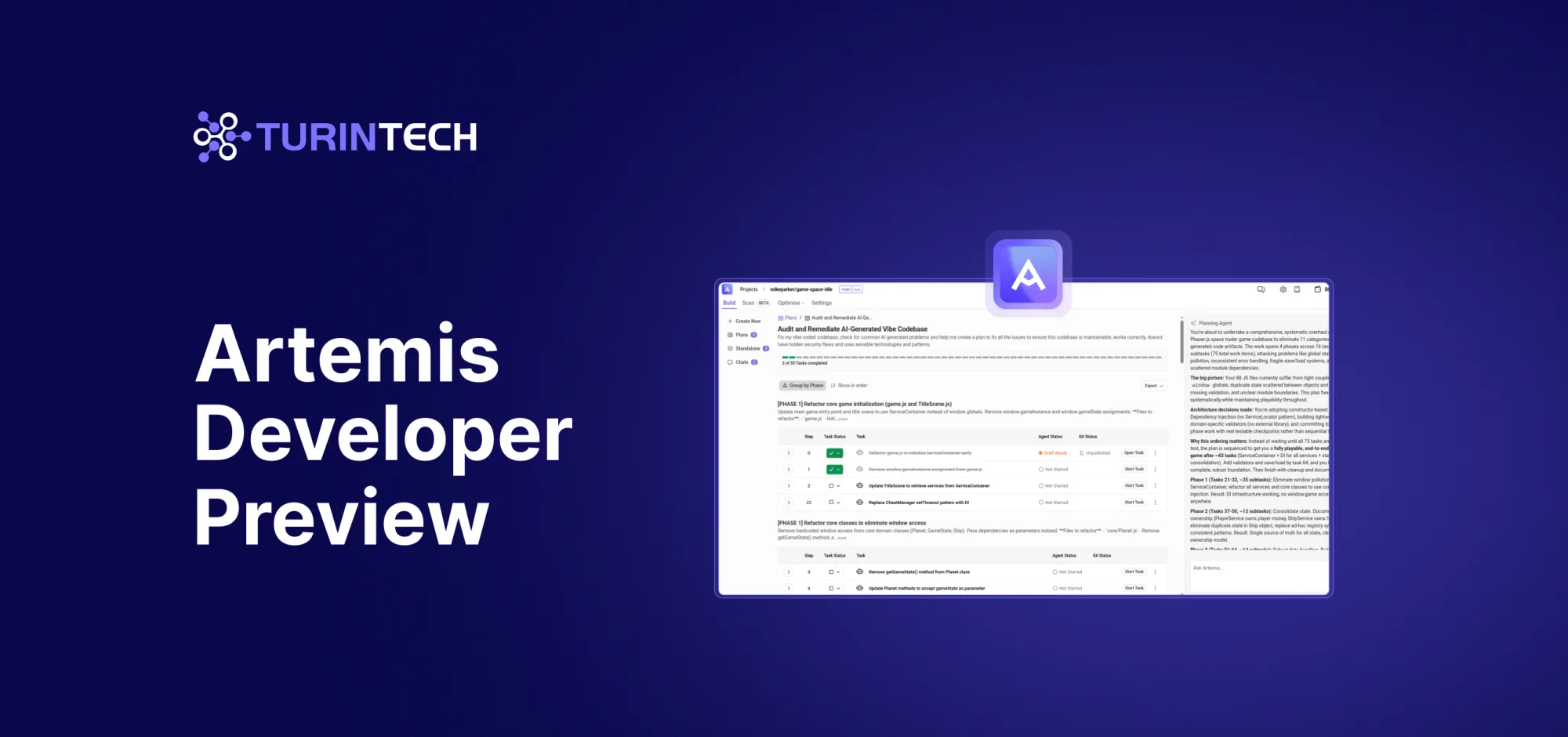
- Artemis Developer Preview transforms the code developers have into the code they need
- Available from today for free, with Planning also available through the IDE
London, UK - 4 December 2025 - TurinTech today announced the Artemis Developer Preview, which gives developers early access to a structured, reliable way to work with today’s AI coding tools. These tools frequently guess at intent, overwrite files, and produce diffs that are hard to trust. Artemis offers a different approach.
Artemis is a platform that improves existing code. It finds issues, fixes bugs, refactors messy or outdated code, modernizes legacy systems, cleans up unreliable AI-generated output, and validates every change before it reaches your repo. It clarifies intent up front, guides decisions, structures the work, applies changes safely in a sandboxed environment, and delivers clean, review-ready results. The result is a predictable, engineering-grade workflow that helps developers turn the code they have into the code they actually need.
AI coding tools have seen explosive adoption over the past two years across teams of every size. They feel fast at first, but most developers quickly hit the same problems: inaccurate assumptions, overwritten files, and diffs that break trust. Independent studies reinforce this gap between promise and reality. A recent evaluation from METR found that while engineers expected AI tools to increase productivity by 24%, the tools actually slowed experienced developers down by 19%. It’s a reversal that highlights how unpredictable AI output creates more cleanup, more review overhead, and more rework than anticipated.
Artemis takes the opposite approach. It clarifies intent up front, structures the work before execution, and explains options and tradeoffs. By keeping changes scoped and predictable, developers can refactor confidently, modernize older code, fix issues, and clean up AI-generated mistakes. The experience is similar to working with a senior engineer: clear plans, structured tasks, safe changes, and a clean, review-ready pull request. This plan-first workflow is the foundation of the Developer Preview and the core of what developers can try today.
Artemis not only works alongside existing AI coding tools — it ensures the code they generate actually meets production standards. By validating every change, enforcing engineering rules, and catching hidden issues early, Artemis prevents the AI-driven technical debt that is now flooding modern codebases.
“AI is powerful, but it struggles in the messy middle where most real software lives. That’s why developers can feel like they’re playing a high-stakes game of prompt roulette,” said Michael Parker, VP of Engineering at TurinTech. “Modern codebases mix new and old patterns, in-house libraries, and edge cases that models don’t fully understand. Artemis bridges that gap at every level of complexity by capturing intent up front. It then builds a hybrid plan for humans and agents, and executes safely so developers get reliable results instead of guesswork. Whether it is a small fix or a large refactor, the goal is not to replace developers or the AI platforms that they now depend on, but to eliminate the guesswork and repetitive work that slows teams down.”
While the Developer Preview introduces the core workflow, the full Artemis platform goes further. Artemis Enterprise adds optimization, multi-objective scoring, deeper code analysis, and team and enterprise-level controls. It is available on-premise and on the web, supporting organizations that need stronger governance, performance, and deployment flexibility.
How Artemis Works
Artemis replaces prompt roulette with a predictable flow that captures intent, structures work, applies changes safely, and validates results.
- AI Collaboration with Artemis Discovery & Planning
Artemis Discovery & Planning is where every workflow begins. It blends AI speed with human insight to clarify intent, uncover dependencies, and turn vague ideas into a structured, verifiable plan. Through Discovery Q&A, Artemis asks the right questions and identifies risks and blind spots early, creating a plan both humans and AI can execute with confidence.
Unlike tools that rush ahead or treat planning as a checklist, Artemis builds a shared understanding of goals and constraints before any code is written. Guided Options present smarter, ranked strategies that avoid prompt fatigue and keep work on track. A Confirmation Checkpoint summarizes goals and trade-offs for review before building begins. The result: fewer retries, faster first-time correctness, and an AI that stays aligned instead of guessing.
- Task Orchestration: Manage with Structured Tasks
Artemis converts intent into right-sized, sequenced tasks with clear boundaries and verifiable instruction sets that define full context and success criteria. Tasks are ordered for optimized delivery and can be assigned to either AI or humans from a single dashboard, keeping ownership visible and auditable. Each task includes the context and criteria needed to verify quality. Teams can refine, reprioritize, or reassign work between AI and people without losing traceability. Plans can be exported to other AI tools or shared with teammates so work stays aligned even as different people or agents contribute.
- Apply Safely with Artemis ChangeSets
Artemis applies changes inside a secure, isolated Git environment, protecting an entire repo before anything is committed. Each edit is captured as an Artemis ChangeSet: a safe, reversible, fully traceable unit of AI-driven change. Developers can review, refine, or discard ChangeSets with full visibility, managing unpublished, published, and PR-ready work from one place. While other tools may isolate branches, Artemis isolates the entire workflow end-to-end. Every AI edit is contained, reversible, and validated before it reaches your repository.
All builds run in Artemis’s sandboxed environment, enabling teams to test and validate work with zero risk to production. Side-by-Side Reviews and full version history let developers inspect edits and merge with confidence.
- Maintain Quality: Scan, Prioritize, and Fix Automatically
Artemis scans your repo against Custom Rules to surface bugs, vulnerabilities, and quality issues. With Smart Detection & Prioritization, it ranks each finding by impact and effort so developers know exactly where to focus. Simple issues can be resolved instantly through Actionable Fix Paths, while more complex problems can move into a guided Plan & Fix workflow.
“AI can be a powerful tool for developers, but without structure, it often creates more problems than it solves,” said Dr. Leslie Kanthan, CEO and co-founder of TurinTech. “Artemis gives developers a reliable and intelligent way to apply AI. It guides choices up front, executes work safely, and validates results so teams can trust what they ship.”
Early users are already seeing the impact
“The Discovery and Planning Agent turned our initial requirements into a shared plan that both the team and the AI could execute against,” said Nikola Todev, VP of Information Technology at American Innovations. “It gave us traceability and confidence that the work stayed aligned with the intended outcome.”
Availability
The Developer Preview includes a focused set of Artemis’ full capabilities: planning, structured tasks, sandboxed execution, scanning, and end-to-end validation. Advanced optimization and enterprise features remain part of Artemis Enterprise and are not included in this Preview.
The Artemis Developer Preview is available today for free on the web, with Planning also available through VS Code. Access will roll out in stages as TurinTech scales the program. The preview will open to an initial group of developers and will expand the waitlist over time. The Preview provides early access to Artemis’s safe plan-first workflow and core capabilities. Feedback from participants will shape the next stages of the platform.
For organizations interested in Artemis Enterprise, including advanced optimization and full code analysis capabilities, please contact TurinTech to learn more or speak with a member of our team.
About TurinTech
TurinTech is the company behind Artemis, the AI engineering platform that helps organizations turn code into measurable business outcomes. Artemis analyzes, plans, and optimizes code across the development lifecycle, improving performance, reducing cost, and ensuring every result is validated and production-ready.
Media contact
ThoughtLDR for TurinTech